
Features › Projects and command line
From one file to a pipeline
Describe once which schema, which rules and which transformation belong to which files, then check all of it in the application and in the build.
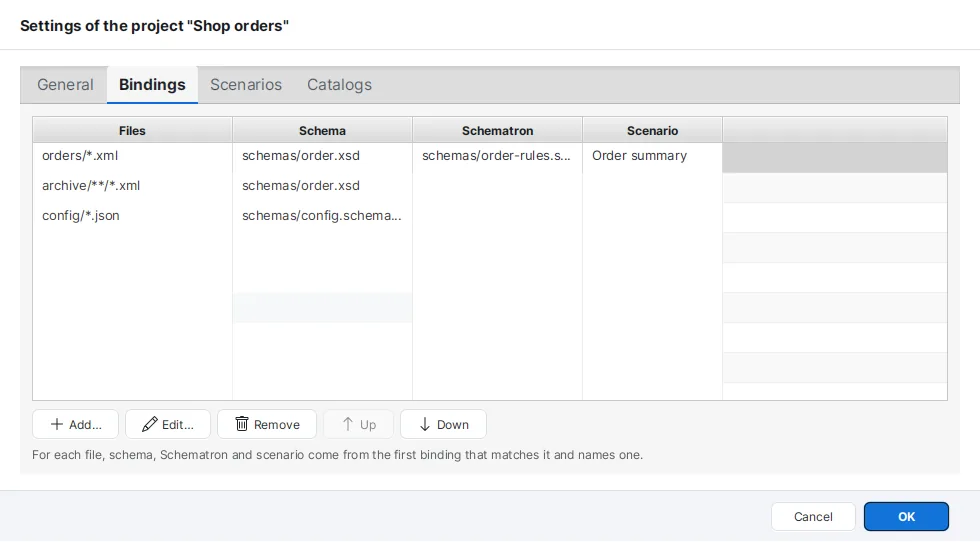
Projects
One project file
A .fxtproj file sits next to your data and can be shared with the team.
- Bind a schema, a Schematron and a scenario to files by pattern
- XML catalogs of the project
- Validate the whole project in one run
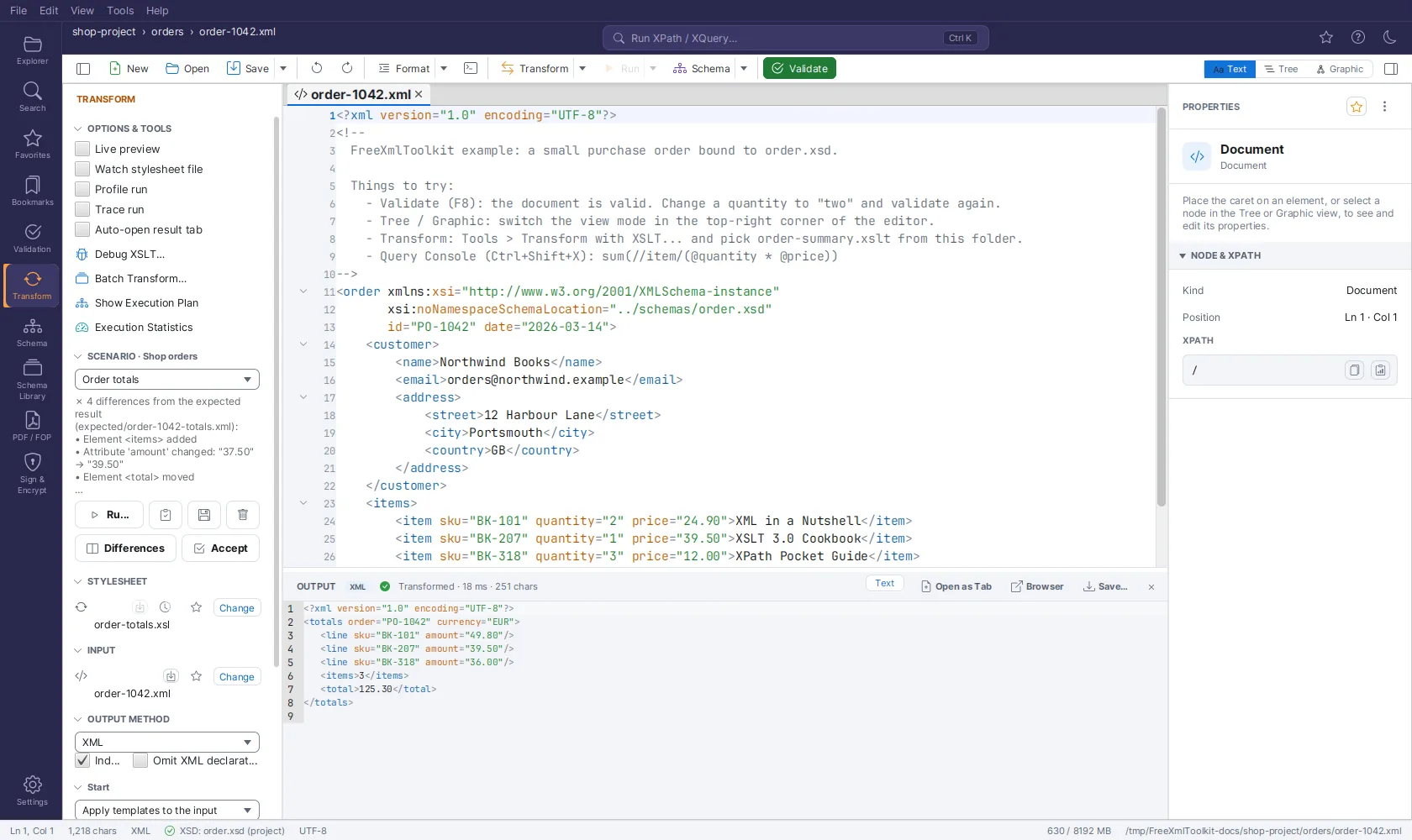
Scenarios
Regression checks for transformations
A scenario names a stylesheet, its input and the result that is expected.
- Check compares the result with the expected file
- Differences open in the compare view; Accept takes the new result
- As fxt-cli scenario --check with a JUnit report
Also included
Automate
fxt-cli
validate, transform, query, xsd-doc, xspec, scenario, compare, merge, convert, fop, sign, verify, encrypt and decrypt. Installed with the application.
Command lineMCP server
fxt-cli mcp gives AI agents the same engines as tools, read-only and inside the folders you name.
AI and automation